Mail Watcher
The Mail Watcher tracks email sending operations in your NestJS application, monitoring delivery status, recipients, and performance.
What Gets Captured
- Email recipients (to, cc, bcc)
- Subject line
- Email content (HTML and text)
- From address
- Sending status (sent, failed)
- Error messages
- Sending duration
Configuration
NestLensModule.forRoot({
  watchers: {
    mail: {
      enabled: true,
    },
  },
})
Configuration Options
| Option | Type | Default | Description |
|---|---|---|---|
enabled | boolean | false | Enable/disable mail tracking |
Payload Structure
interface MailEntry {
  type: 'mail';
  payload: {
    to: string | string[];      // Recipients
    cc?: string | string[];     // CC recipients
    bcc?: string | string[];    // BCC recipients
    subject: string;            // Email subject
    html?: string;              // HTML content (truncated to 64KB)
    text?: string;              // Plain text content
    from?: string;              // Sender address
    status: 'sent' | 'failed';  // Delivery status
    error?: string;             // Error message if failed
    duration: number;           // Send time (ms)
  };
}
Usage Example
Setup Mailer Module
// Install: npm install @nestjs-modules/mailer nodemailer
import { MailerModule } from '@nestjs-modules/mailer';

@Module({
  imports: [
    MailerModule.forRoot({
      transport: {
        host: 'smtp.example.com',
        port: 587,
        auth: {
          user: 'user@example.com',
          pass: 'password',
        },
      },
      defaults: {
        from: '"App" <noreply@example.com>',
      },
    }),
  ],
})
export class AppModule {}
Provide Mailer Service to NestLens
import { Module } from '@nestjs/common';
import { MailerService } from '@nestjs-modules/mailer';
import { NESTLENS_MAILER_SERVICE } from 'nestlens';

@Module({
  providers: [
    {
      provide: NESTLENS_MAILER_SERVICE,
      useExisting: MailerService,
    },
  ],
})
export class AppModule {}
Sending Emails
import { Injectable } from '@nestjs/common';
import { MailerService } from '@nestjs-modules/mailer';

@Injectable()
export class EmailService {
  constructor(private mailerService: MailerService) {}

  async sendWelcomeEmail(user: User) {
    // Automatically tracked
    await this.mailerService.sendMail({
      to: user.email,
      subject: 'Welcome to Our App!',
      html: '<h1>Welcome!</h1><p>Thanks for joining.</p>',
    });
  }

  async sendPasswordReset(email: string, token: string) {
    await this.mailerService.sendMail({
      to: email,
      subject: 'Password Reset Request',
      template: 'password-reset',
      context: {
        token,
        resetUrl: `https://app.com/reset/${token}`,
      },
    });
  }

  async sendBulkEmail(recipients: string[], subject: string, html: string) {
    await this.mailerService.sendMail({
      to: recipients,
      subject,
      html,
    });
  }
}
Dashboard View
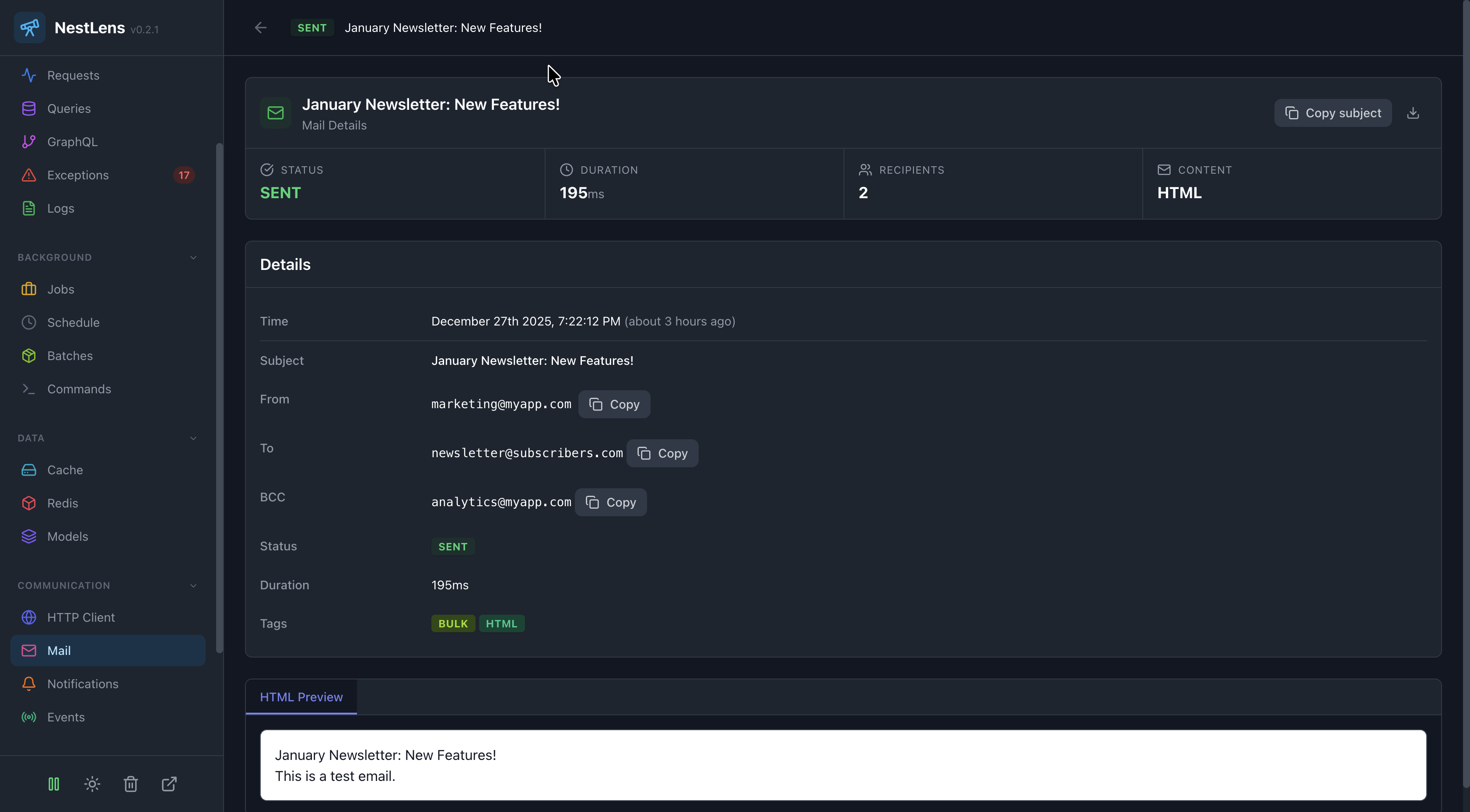
In the NestLens dashboard, mail entries show:
- Timeline of sent emails
- Success/failure rates
- Most common subjects
- Recipient statistics
- Sending duration metrics
- Failed emails with error messages
- Email volume trends
Email Templates
@Injectable()
export class EmailService {
  async sendOrderConfirmation(order: Order) {
    await this.mailerService.sendMail({
      to: order.customerEmail,
      subject: `Order Confirmation #${order.id}`,
      template: 'order-confirmation',
      context: {
        orderId: order.id,
        items: order.items,
        total: order.total,
      },
    });
  }
}
Error Handling
async sendEmail(to: string, subject: string, html: string) {
  try {
    await this.mailerService.sendMail({ to, subject, html });
    return { success: true };
  } catch (error) {
    // Error is tracked automatically
    console.error('Failed to send email:', error);
    return { success: false, error: error.message };
  }
}
Content Truncation
Large email bodies are truncated to prevent storage bloat:
- HTML/text content limited to 64KB
- Truncated content shows:
[Truncated - X bytes]
Related Watchers
- Request Watcher - See which requests triggered emails
- Job Watcher - Track queued email sending jobs
- Notification Watcher - Track multi-channel notifications